Invite your team
Give each colleague their own login with the role that fits: owner, admin, member or viewer.
On this page
Add someone
- Open Team
Choose Team in the sidebar, under Organisation. Owners and admins can add people.
- Enter their details
Type their name and email address and pick a role.
- Hand over the one-time password
ForgeDocs creates their login and shows a one-time password. Pass it on yourself, in person or over a channel you trust. They sign in with it and change it under Settings.
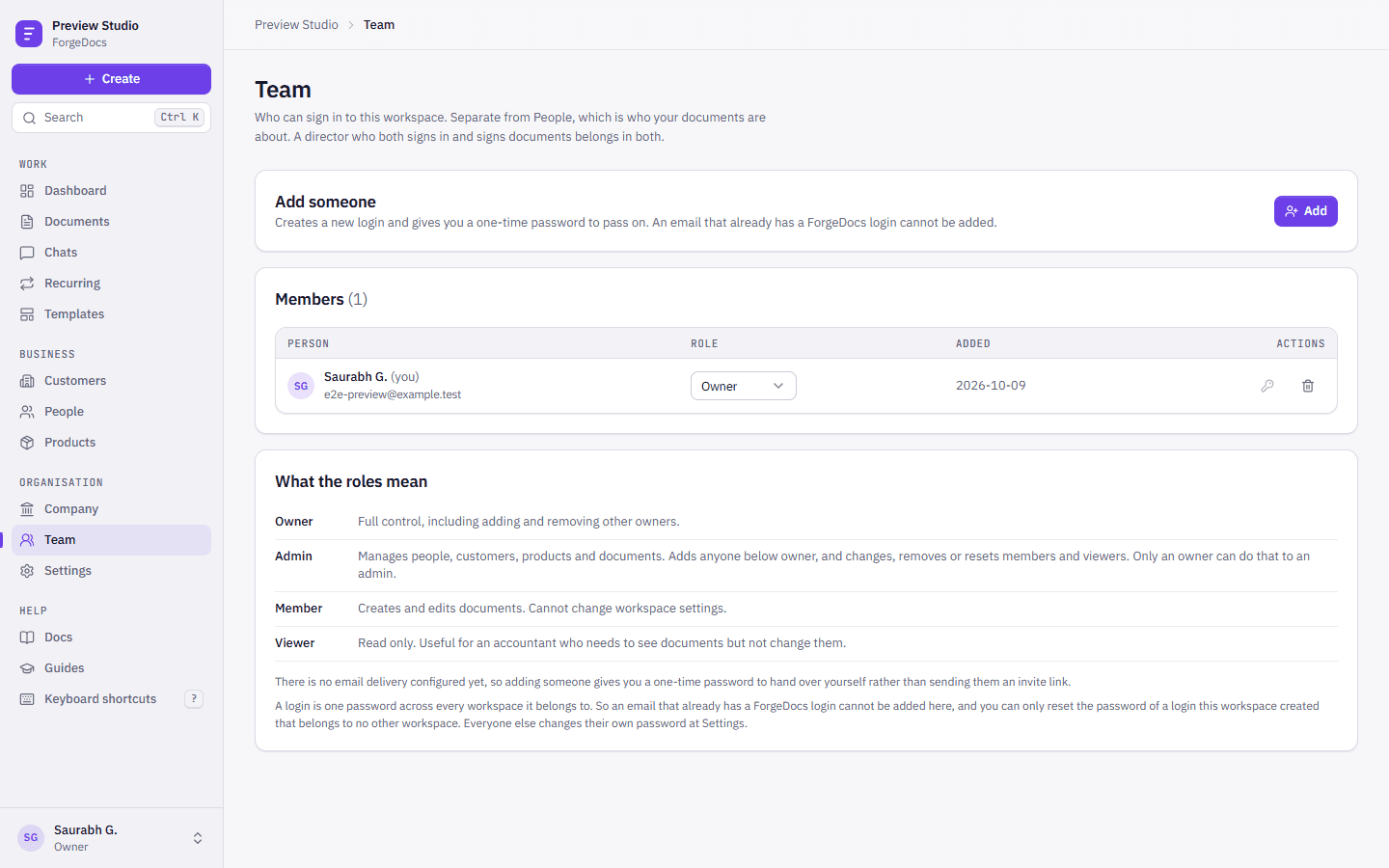
Pick the right role
| Role | Can | Good for |
|---|---|---|
| Owner | Everything, including adding and removing other owners. A workspace always keeps at least one owner. | The proprietor or a director |
| Admin | Everything except managing owners and other admins: adds people below owner, deletes documents, sets up the mail server. | An office manager |
| Member | Creates documents and keeps customers, people and products up to date. | Sales and HR staff |
| Viewer | Reads everything and changes nothing. | Your accountant or auditor |
The full permission list is in Team and roles.
Team is not People
Team is who can sign in. People is who your documents are about: employees, interns, contacts at your customers. A director who both signs in and signs documents belongs in both: in Team for their login, and in People as the signatory.