Set up your company
Your legal name, GSTIN, address and bank details print on every document, and your state code decides how GST is split.
On this page
Open Company in the sidebar. What you save here appears on the documents you generate from then on. Documents already issued keep exactly what they were printed with.
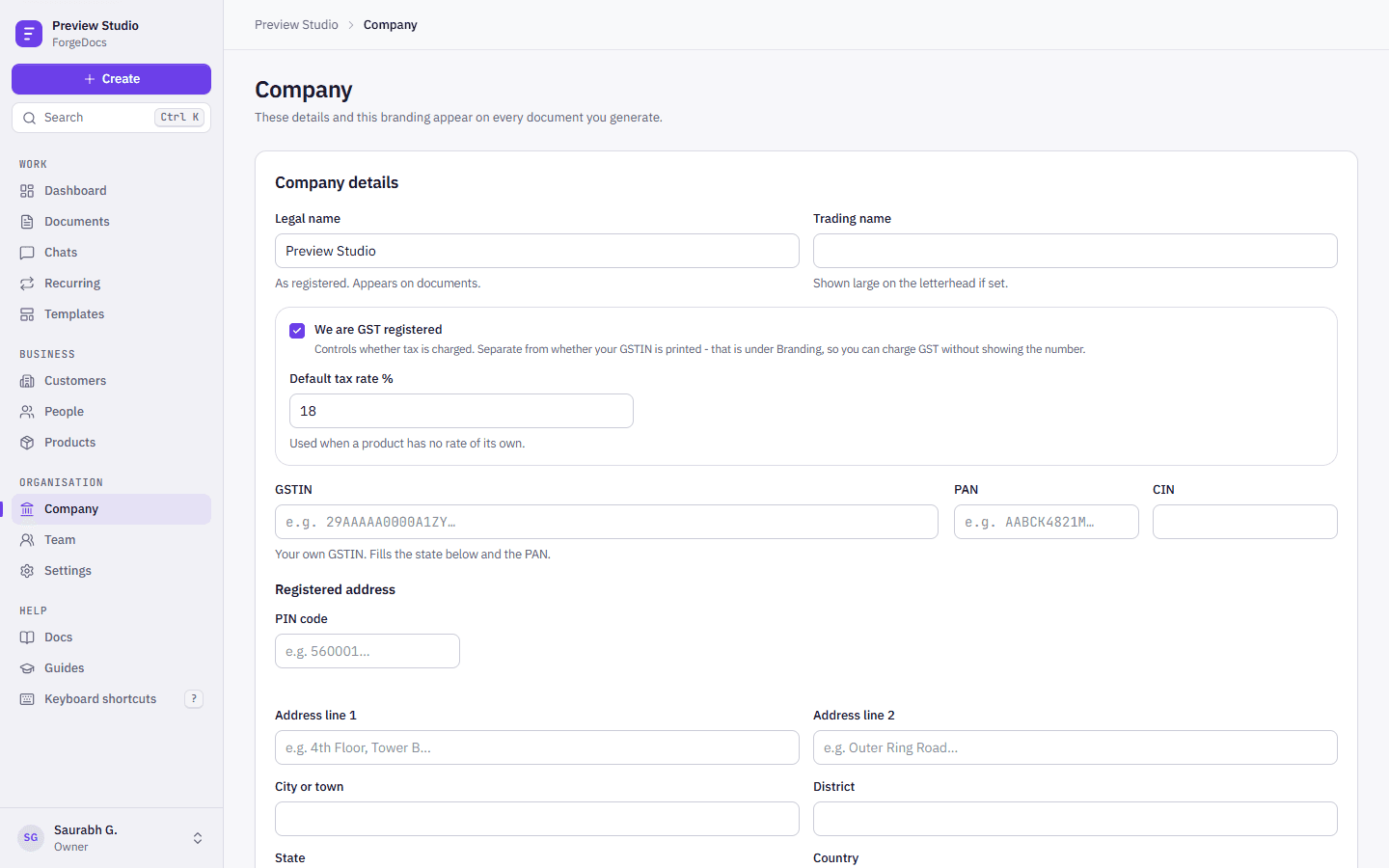
Company details
| Field | What it does | Example |
|---|---|---|
| Legal name | Your registered name, as it prints on every document. | Kaveri Steel Works Private Limited |
| Trading name | Printed large on the letterhead when set. | Kaveri Steel |
| GST registered | Whether tax is charged at all. Turn it off if you are not registered: your documents then carry no GST. | On |
| Default tax rate | The GST rate used for a line whose product has no rate of its own. | 18% |
| GSTIN | Your 15-character GST number. Checked as you type, including its check character, and it gives your state code and PAN. | 29AABCK4821M1Z9 |
| PAN and CIN | Printed where your branding settings allow. Companies must show their CIN on letterheads. | AABCK4821M |
Address and state code
Type your 6-digit PIN first. ForgeDocs fills the city, district, state and GST state code from India Post’s directory. Every filled value stays editable, and anything you have already typed is left alone. The state picker shows each state with its code, for example Karnataka (29), and the state and its code are always saved together.
More on how the lookup works, and what happens when it cannot reach India Post, is in Addresses and PIN lookup.
Bank and UPI details
| Field | What it does | Example |
|---|---|---|
| Bank | Your bank’s name. | HDFC Bank |
| Account name | The name on the account. | Kaveri Steel Works Pvt Ltd |
| Account number | Printed in full in the bank block. | 50200012345678 |
| IFSC | The branch’s IFSC code. | HDFC0001234 |
| Branch | Printed with the bank details. | Koramangala, Bengaluru |
| UPI ID | Lets customers pay you directly. New invoices print a UPI QR code to scan. | kaveristeel@okhdfcbank |
The bank block appears on invoices and quotations while Bank details is on in your branding settings.
Payment terms, terms and notes
Default payment terms (for example “Net 30 days”) fill in on every new invoice. Terms and notes you save as presets in your company settings fill the terms and notes of new invoices, proformas and quotations, and you can still change them on each document.
Document numbers
Each document type has its own series, with its own prefix and format, set on the same page. If you are moving from another system, start each series where you left off. See Document numbering.